
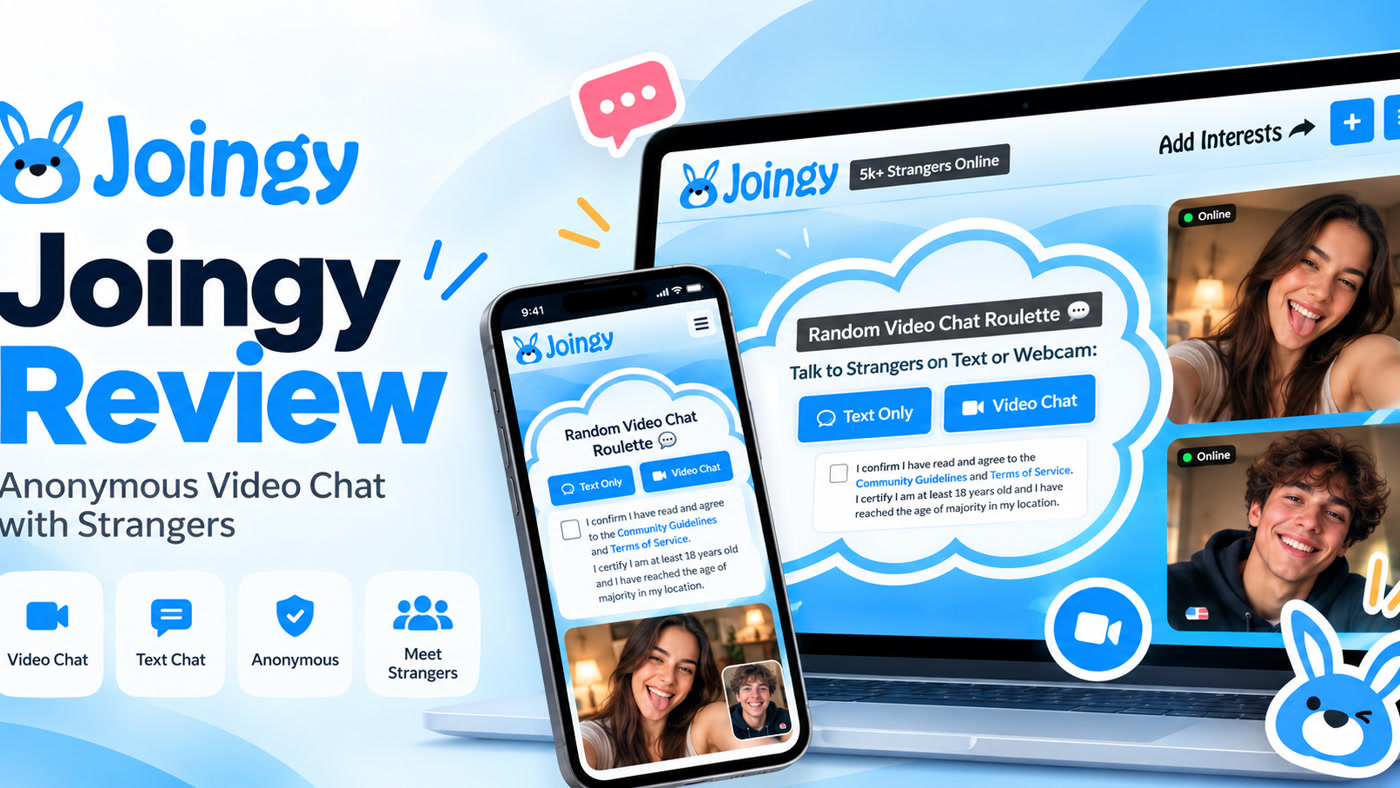
What Joingy Is
Joingy is an anonymous, no-registration stranger chat site with two primary modes: free text-only roulette and 1:1 random video chat. Official copy emphasizes instant matching, interest keywords, “Stranger” labels instead of real names, Flag Spam reporting after disconnects, mobile browser support via WebRTC permissions, and a strict 18+ rule that also prohibits minors appearing in the background of your camera.
Joingy at a glance
| Question | Answer |
|---|---|
| Do you need an account? | Joingy describes its text and video matching as no-sign-up experiences. |
| Can you chat without a camera? | Yes. Choose Text Only; video matching needs a working camera. |
| Can you choose topics? | Interest keywords can help match people who want to discuss similar subjects. |
| How do you report a match? | Use the site's Flag Spam flow, typically after leaving the conversation. |
| Can you use a phone? | Joingy describes mobile browser access; camera and microphone permissions apply for video. |
For details, jump to Text Mode Versus Video Mode, Interest Keywords or Black Screens and Basic Troubleshooting below.
Comparisons: Joingy alternatives. Safety habits: is random video chat safe.
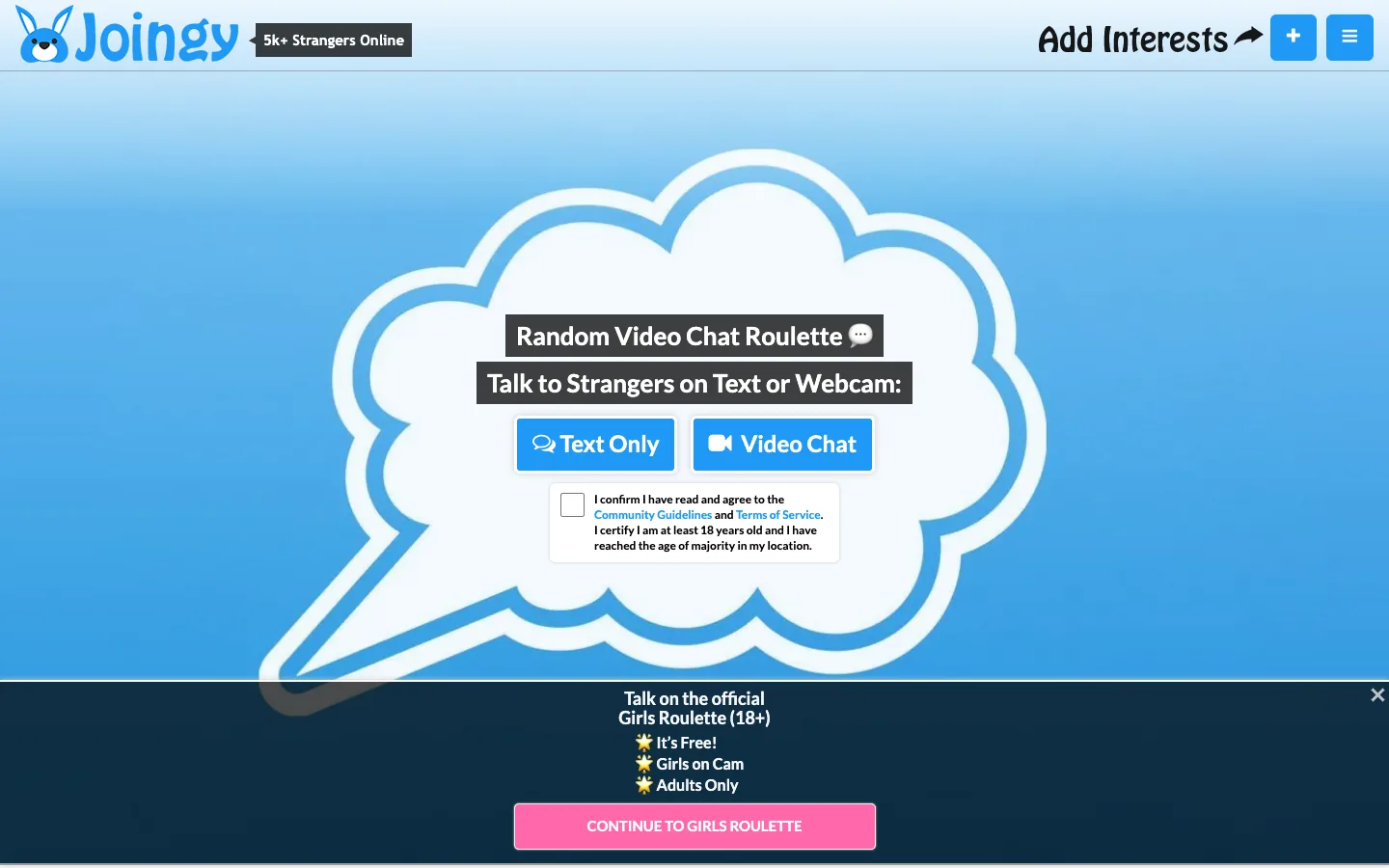
Text Mode Versus Video Mode
Text-only is the lower-pressure path: no camera required, anonymous messaging with strangers, browser tab notifications when new messages arrive. You can open multiple tabs for multiple text rooms if you want parallel conversations—official FAQ confirms that pattern.
Video mode requires a functioning webcam. Joingy states that video matches are face-to-face by design; if you lack a camera, use text instead. After a video match connects, Leave Chat requests a new stranger. Black screens can mean permission problems, covered cameras, or partner-side issues—troubleshooting steps are covered below.
Choose mode based on comfort, not FOMO. Many people should start in text, then move to video only when they want it.
Interest Keywords
Joingy’s Interests feature lets you type keywords for topics you want to discuss. The system tries to pair you with people online who share those interests. Official LGBTQ+ guidance notes that adding orientation keywords can help people find inclusive matches; Joingy also states it is not a dating site and asks users to avoid sexual conversations to keep a family-friendly environment—while still enforcing 18+ access.
Interest tips that actually help:
- Use specific keywords you can sustain (“street photography,” “learning Turkish”).
- Do not bait with misleading tags.
- Shared interests are conversation starters, not consent for personal questions.
No-Signup Anonymity in Practice
Official FAQ: no registration or sign-up is required. Partners appear as “Stranger.” That is stranger-facing anonymity. It does not mean the operator has zero logs, that WebRTC cannot reveal network metadata, or that someone cannot record your stream. On shared devices, clear permissions after use.
Joingy markets itself as free chat with strangers. As always, verify any premium prompts on the live site rather than trusting third-party price claims.
Moderation and Flag Spam
Joingy says Trust and Safety uses detection systems plus human review, and that Flag Spam after you disconnect sends a report for manual review. That post-chat reporting model matters: if something goes wrong, leave, then flag—do not stay to “gather evidence” beyond what the report flow needs.
Community guidelines and terms still apply even though accounts are optional. Ban enforcement can use device or network signals. Do not treat no-signup as a free pass for abuse.
Black Screens and Basic Troubleshooting
Official troubleshooting guidance is practical:
- Confirm the webcam is connected and working in another app.
- Grant camera and microphone permissions in the browser.
- Remember a partner covering their camera also produces a black screen.
- Refresh connectivity; prefer Wi-Fi over unstable mobile data.
- Use a WebRTC-capable browser.
If video still fails, text roulette remains available.
Using Interests Well on Joingy
Two or three honest keywords beat a long noisy list. If matches ignore the topic, Next quickly—interest matching is probabilistic. For inclusive LGBTQ+ chat, Joingy’s own guidance points to interest tags as the mechanism; still use normal safety habits.
Joingy Versus Other No-Signup Sites
Versus Chatspin: Joingy is lighter on AR masks and reward economies; stronger on explicit text-vs-video split and Flag Spam language. Versus Chatrandom/Camsurf: similar no-friction philosophy, with Joingy’s interest box as a distinctive steering tool. Versus Emerald: Emerald requires accounts and karma; Joingy optimizes for instant anonymous entry.
Who Joingy Is For
Adults who want no-registration stranger chat, optional text-first onboarding, and keyword interests. Not for minors (including background appearances). Not positioned as a dating product despite romance-seeking users appearing in any stranger chat network.
Privacy Boundaries That Still Matter Without Accounts
No registration means you don't need an account to start, not that a conversation is private from everyone involved. Another participant may still record or share what appears on screen. If anonymity matters to you, keep identifying details out of the camera view and choose what you share in text.
For the platform's own reporting rules and community standards, use the sections above. You don't need to treat every stranger chat like a security test; the practical choice is simply to end a conversation that isn't a good fit.
How to start a conversation on Joingy
- Open the Joingy website and choose Text Only or Video Chat.
- If you want a topic-based conversation, add a couple of interest keywords rather than a long list.
- For video, allow camera and microphone access when the browser asks. If the camera fails, use the troubleshooting steps above or switch to text.
- When a conversation ends, use Leave Chat to move on. If you encountered spam, follow the platform's reporting flow.
That's the basic entry process. Choose text if you want to start without a webcam; choose video if face-to-face matching is what brought you to the site.
Community Rules Versus Live Culture
Joingy's published rules describe respectful conversation and allow reporting of spam or rule-breaking. As with any open matching service, actual conversations will vary. If a match isn't useful, move on; if it violates the rules, use the Flag Spam option. You can always choose text mode when you don't want to start on camera.
Mobile Browser Quirks
On phones, Joingy depends on mobile browser camera permissions and WebRTC support. iOS Safari and Android Chrome both work for many users, but permission prompts can be finicky after OS updates. If video fails only on mobile, retry permissions, switch networks, or fall back to text. Official copy also notes browser tab notifications for text—useful when you keep a tab open while doing something else, as long as you still monitor who you are talking to.
Why Leave Chat Is a Feature
Joingy’s Leave Chat control is not rudeness; it is the product’s safety and quality valve. Use it early. Staying out of politeness is how uncomfortable chats become unsafe chats. After you leave, Flag Spam if the match broke rules. That two-step habit—exit, then flag—matches how Joingy describes report timing.
Strengths and Limitations
Strengths: no signup; text and video modes; interest keywords; Flag Spam reporting; clear webcam requirement honesty; multi-tab text; mobile browser support.
Limitations: open matching risk; black-screen friction; anonymity limits in practice; interest matching is imperfect; “family-friendly” rules coexist with adult stranger-video realities.
Common Questions
Do I have to create an account on Joingy? No. Official FAQ: no registration required.
Is a webcam required on Joingy? Yes for video mode; use text-only if you have no camera.
How do I report someone on Joingy? After disconnecting, use Flag Spam so moderators can review.
Is Joingy free? Positioned as free stranger chat; verify any live upsells yourself.
Is Joingy a dating site? Officially no—it asks users not to treat it as one and to avoid sexual conversations.
If Joingy Is Not the Right Fit
If you want anonymous-feeling chat but with more pre-call choice, explore Kiss Live Chat on anonymous video chat, random video chat, and video chat with strangers. See Joingy alternatives and Omegle alternative.
Joingy fits when no-signup speed and interest keywords matter most. If you need accounts, karma, or Lounge browsing, choose a denser social video product instead.
Add Kiss to your home screen
No download needed: the Kiss web app opens full-screen from an icon, like an app.
- Android · Chrome: ⋮ menu → “Install app” or “Add to Home screen”
- iPhone · Safari: Share → “Add to Home Screen”
Prefer the app? Get the iPhone app
A few more answers
Frequently asked questions
Do I have to create an account on Joingy?
No. Official FAQ states registration is not required.
Is a webcam required on Joingy?
Yes for the video section. Text-only mode works without a camera.
How do I report someone on Joingy?
Disconnect, then use Flag Spam so the team can review the session.
Is Joingy free?
It is positioned as free anonymous text and video stranger chat.
Is Joingy a dating site?
Official copy says no—treat it as adult stranger chat with interest keywords, not a dating product.