What Monkey Actually Is
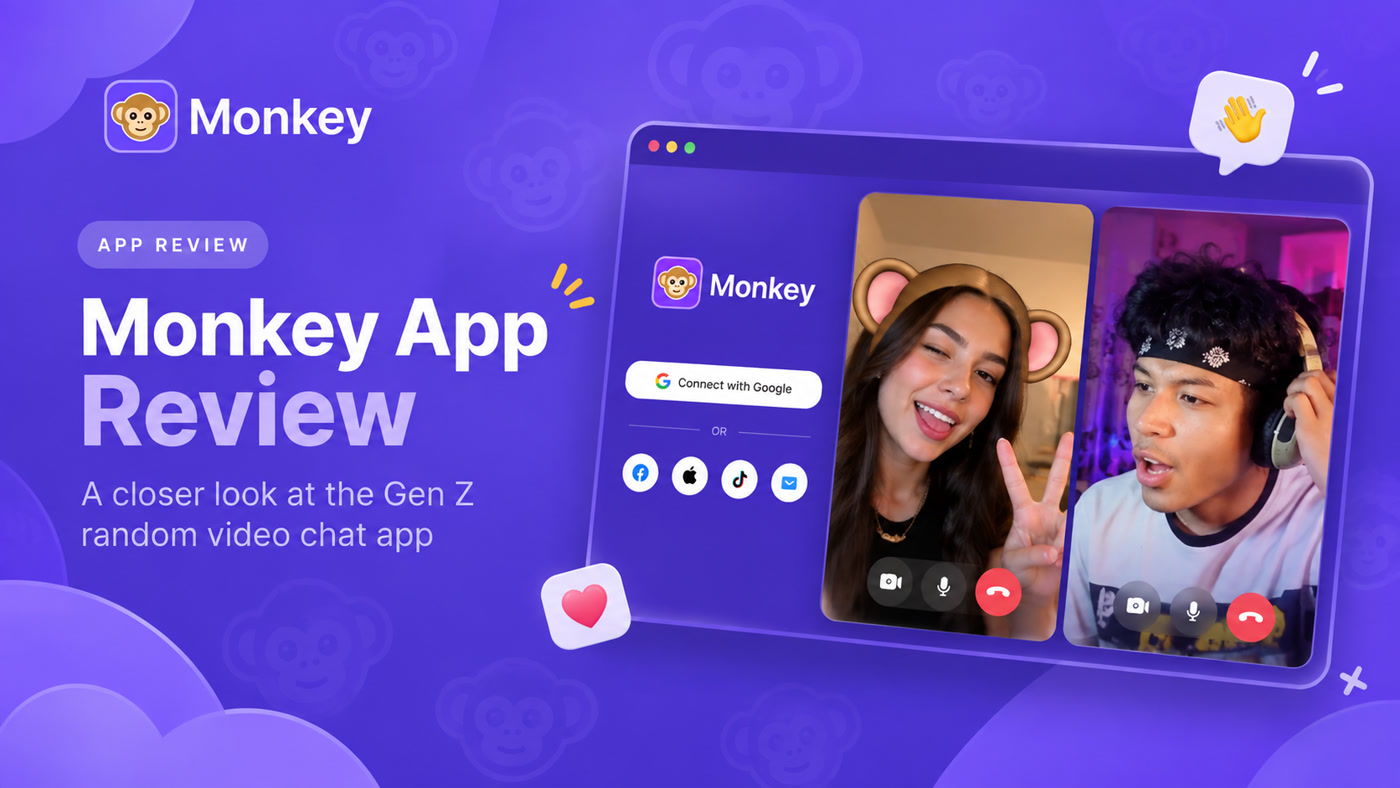
Monkey is a social discovery product built around fast one-to-one stranger video (and text) chat. Official positioning frames it as a high-speed Omegle-style alternative: you open the Android app or the browser web client, sign in, grant camera and mic access, and land in live matching instead of browsing a long feed first. The pitch is spontaneous face-to-face talk with people worldwide, plus AI moderation messaging and a social-login gate meant to reduce bots.
People searching a Monkey app review usually want product mechanics, not another ranking list. The useful questions are concrete: how long is the first match window, what happens if only one person wants to continue, does iPhone get a native app, what sits behind Monkey Plus or tokens, and how much “safety” is tooling versus personal boundaries. This guide answers those points from official product copy and widely corroborated third-party explainers—without copying marketing slogans or inventing live user counts.
If you already know you want other products side by side, keep the comparison format on our Monkey alternatives page. For how open stranger video behaves in general, see is random video chat safe.
The 15-Second Mutual-Continue Loop
Monkey’s signature mechanic is a short first window—commonly described as about 15 seconds—where you see and hear a stranger. If both people choose to continue, the call extends. If either person skips or lets the timer end, you move on. That mutual-continue design is the product idea: weak matches cost less time, and longer talks require two-sided interest.
Matching still belongs to open social discovery, not curated dating. Preferences and interest tags can nudge who you see, but you should expect variety: friendly chats, awkward silences, language gaps, and occasional rule-breaking behavior that any open stranger-video platform can surface. The timer changes exit speed; it does not magically filter intent.
A typical session flow looks like this:
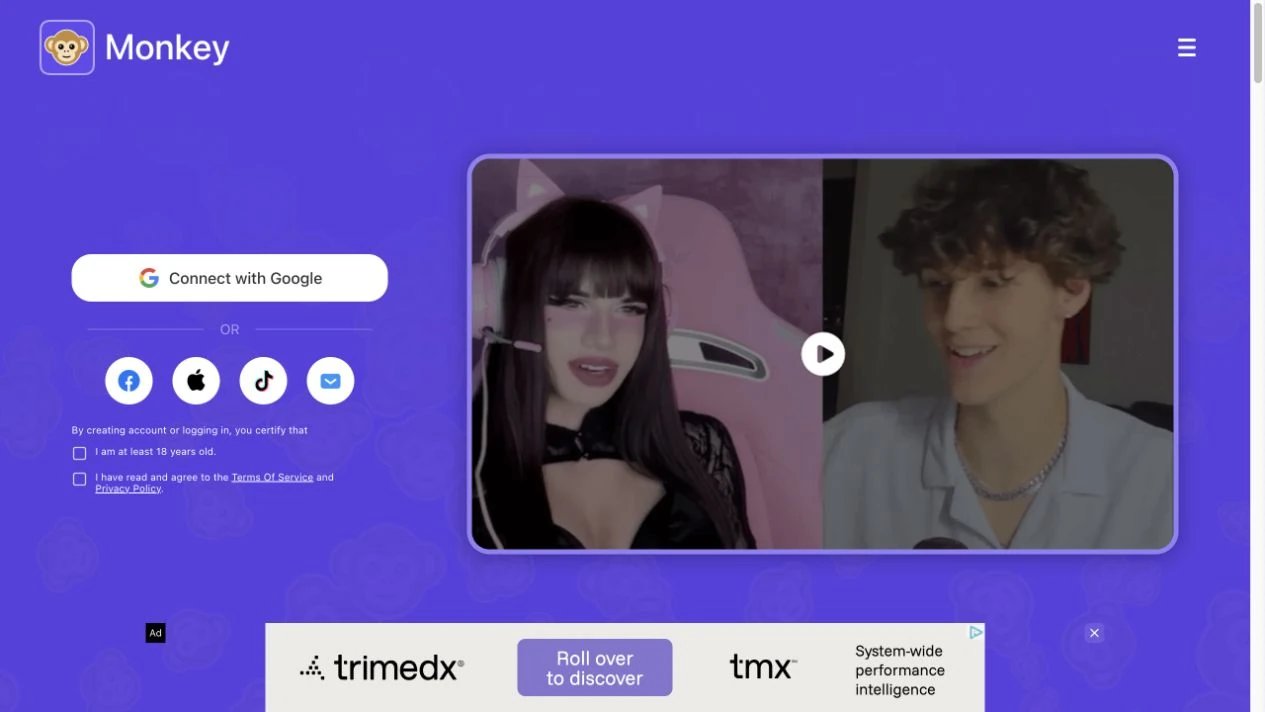
- Confirm you meet the stated age rule (Monkey materials emphasize adults / 18+).
- Complete 1-tap social login—the official site presents this as an anti-bot step for “human-to-human” matching.
- Allow camera and microphone permissions.
- Enter the queue, meet someone for the short window, then continue or next.
- Use report / block when something violates rules or feels unsafe.
If you prefer reading a little profile context before anyone sees your face, that is a different discovery model than Monkey’s default loop.
Features Beyond the Timer
Independent explainers and store-facing descriptions consistently mention a social layer around the call: recent connects or ways to reconnect later if both people want that, interest/hashtag-style tags, and extra modes such as duo/group-style chat when available on a given client or tier. “Moments”-style short content appears in some third-party feature summaries as a free-side social surface; treat in-product screens as the source of truth for what your build currently shows.
Controls you should look for—and that Monkey-category apps usually expose—include skip/next, report, block, and camera or mic mute. Premium packaging (often discussed as Monkey Plus or token upgrades) is where stronger demographic or preference filters tend to live. Exact filter names and prices change by region and storefront, so verify the current offer inside the app rather than relying on a screenshot from a blog post.
Interest tags versus true curation
Official Monkey copy says you can use interest tags to refine matches while still keeping spontaneous random chat. That is a soft preference signal, not a guarantee you will only meet people who share a hobby. Use tags to tilt the pool; do not treat them as a topic room with enforced conversation quality.
Android App Versus Web on iPhone and Desktop
Monkey’s official site is clear about client split: Android users can download the native app; iOS and desktop users are directed to the web experience in the browser. That matters for expectations. A “Monkey app review” on iPhone may actually be a review of the mobile web client, not a native App Store build. Always confirm the current store listing in your country before assuming a reinstated iOS app.
Feature parity between Android and web is not always identical. Filters, duo modes, Moments, and purchase flows can differ by client. If a feature is the reason you are downloading Monkey, check that client before you pay for an upgrade.
Free Use Versus Paid Upgrades
Basic matching is free to start: you can enter the queue and talk without a mandatory subscription wall on the core loop. Stronger filters, convenience features, and some social extras commonly sit behind tokens or subscription-style upgrades. Official public pages emphasize free access for the community; they do not publish a single global price table that stays accurate across every storefront.
Practical advice: try free matching long enough to learn the timer loop and the quality of people you meet in your region and time of day. Only then decide whether a filter package is worth it. Avoid buying upgrades solely because a third-party review quoted a price from months ago.
Who Monkey Fits
Monkey fits people who want high-energy, short-cycle stranger video and accept that many matches will be brief. It is a better fit when you like deciding “continue or next” quickly, and when you are comfortable with a social-login account rather than fully anonymous no-signup roulette.
It is a weaker fit if you want to browse online profiles and choose who to call first, if you need a polished dating workflow, or if you refuse any account gate. It is not designed as a children’s product; parent-security writeups repeatedly warn that self-declared age checks are not the same as verified age gates.
Safety, Moderation, and Privacy
Monkey markets real-time AI moderation, community guidelines, report tools, and a login step meant to reduce bots. Those are meaningful product claims relative to completely unmoderated clones—but they are not a promise of a clean feed. Open stranger video can still surface explicit content, harassment, scams, or people who misrepresent age or intent.
Privacy habits matter more than slogans:
- Keep identifiable details off camera (mail, IDs, workplace badges, street signs).
- Assume any live stream can be screen-recorded by the other person.
- Use skip, block, and report early rather than arguing with rule-breakers.
- Do not move money, codes, or intimate media off-platform for strangers.
Official help content describes account deletion flows (including a cooling-off window before permanent deletion on some clients). If you care about data retention, read the current privacy policy and delete-account article before you bind a phone number or social login.
Strengths and Limitations
Strengths: fast mutual-continue matching; clear Android + web positioning; social login as a bot friction layer; interest tags for soft preference; report/block tooling; free entry into the core loop.
Limitations: open matching still exposes you to bad actors; premium filters may be required for stronger control; iOS may be web-only depending on store status; age verification is largely self-declared; feature names and paywalls shift over time.
Common Questions About Monkey
Is the Monkey app free? Basic matching is free to start. Stronger filters and convenience features often sit behind tokens or subscription-style upgrades, and prices change by region and storefront.
Does Monkey work on iPhone? Official copy points Android users to the native app and iOS/desktop users to the browser web client. Confirm current App Store availability in your country before assuming a native iOS app.
Is Monkey safe? It offers moderation and reporting, but safety still depends on your boundaries. It is not designed as a children’s app, and no random video product can promise a clean feed.
How long are Monkey chats? Reviews commonly describe a short timed first window—about 15 seconds—that continues only if both people opt in. Chats are not permanently capped if both sides extend.
What is a good Monkey alternative if I want more control? If you want to browse people who are online before a call, try a browse-first product, or compare options on our Monkey alternatives guide.
If Monkey Is Not the Right Fit
If you like stranger video but want to browse people who are online and choose who to call—while still keeping an optional faster match mode—Kiss Live Chat’s hybrid flow on random video chat and video chat with strangers is built around that choice. For a structured shortlist of other products people compare with Monkey’s speed-first model, see our Monkey alternatives guide. Broader post-Omegle context lives on Omegle alternative.
Monkey works best when you want instant face-to-face energy and accept the tradeoffs of open matching. If you want more context before the camera turns on, choose a browse-first or mutual-accept product instead of forcing Monkey to be something it is not.
A few more answers
Frequently asked questions
Is the Monkey app free?
Basic matching is free to start. Stronger filters and convenience features often sit behind tokens or subscription-style upgrades, and prices change by region.
Does Monkey work on iPhone?
Monkey’s official positioning points Android users to the native app and iOS/desktop users to the web experience. Confirm current store listings before assuming a native iOS app.
Is Monkey safe?
Monkey markets AI moderation and reporting, but open stranger video remains risky. It is for adults, age checks are largely self-declared, and you should leave or report anything uncomfortable.
How long are Monkey chats?
Reviews commonly describe a short timed first window—about 15 seconds—that continues only if both people opt in. Chats are not permanently capped if both sides extend.
What is a good Monkey alternative if I want more control?
If you want to browse people online before a call, try a browse-first product such as Kiss Live Chat, or compare options on our Monkey alternatives guide.